MCP vs Function Calling: Which Approach Should You Use?
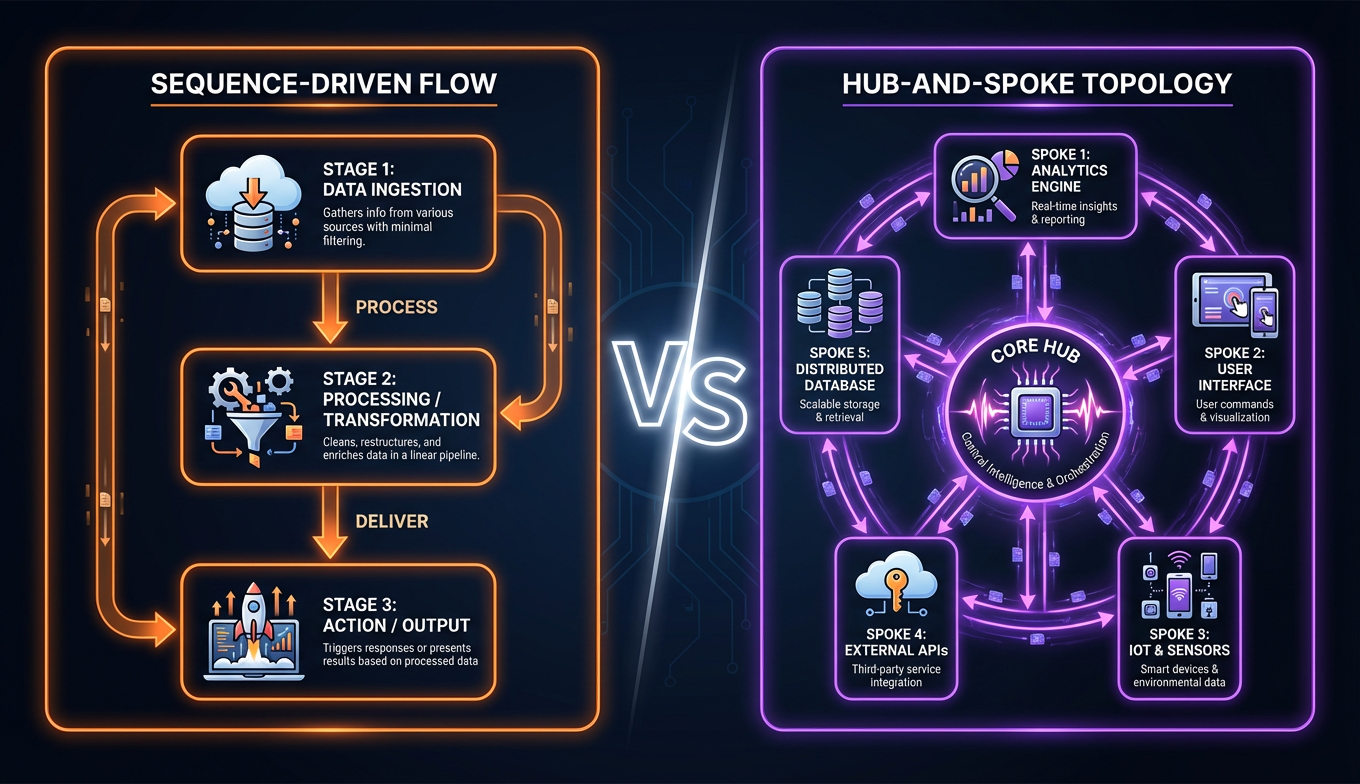
If you've built anything with AI agents in the last year, you've hit this decision: wire up tools with function calling, or adopt the Model Context Protocol?
Function calling used to be the only option. Now MCP has 5,800+ servers, 97 million monthly SDK downloads, and adoption by OpenAI, Google, and every major agent framework. The question isn't whether MCP matters — it's whether it matters for your use case.
This comparison breaks down both approaches with real technical details, not marketing abstractions.
What Is Function Calling
Function calling is a capability built into modern LLMs that lets the model output structured tool invocations instead of free text. You send the model a list of function definitions — name, description, JSON Schema for parameters — alongside your prompt, and when the model determines it needs to use a tool, it returns a structured JSON object specifying which function to call and with what arguments.
Here's the critical thing that trips up newcomers: the LLM does not execute anything. It outputs intent. Your application code is responsible for parsing that intent, executing the actual function, and feeding the result back to the model for a final response.
A typical function calling flow looks like this:
# 1. Define tools as JSON schemas
tools = [{
    "name": "get_weather",
    "description": "Get current weather for a city",
    "parameters": {
        "type": "object",
        "properties": {
            "city": {"type": "string"},
            "units": {"type": "string", "enum": ["celsius", "fahrenheit"]}
        },
        "required": ["city"]
    }
}]

# 2. Send to LLM with tool definitions
response = client.chat(messages=[user_message], tools=tools)

# 3. If the model chose a tool, execute it locally
if response.tool_call:
    result = execute_function(response.tool_call)
    # 4. Feed result back for final answer
    final = client.chat(messages=[..., result], tools=tools)
Every major LLM provider supports this pattern, but the implementations are provider-specific. OpenAI uses a tools parameter, Anthropic has tool_use, Google Gemini has its own schema. The function definitions you write for one provider don't directly port to another.
This matters more than it sounds. If you have five tools and one provider, you're managing five function definitions. If you have five tools across three providers, you're managing fifteen definitions that do the same thing in slightly different formats.
What Is MCP (Model Context Protocol)
The Model Context Protocol is an open standard that Anthropic introduced in November 2024 and donated to the Linux Foundation's AI & Data Foundation in December 2025. The analogy that stuck is "USB-C for AI" — a universal connector between AI models and external tools, data sources, and services.
MCP uses a client-server architecture built on JSON-RPC 2.0, inspired by the Language Server Protocol (LSP) that powers code editors. If you've ever used a language server in VS Code, the mental model is similar: the client (your AI application) connects to servers that expose capabilities, and the protocol handles the communication.
MCP defines three primitives:
- Tools — Executable actions (search the web, send an email, query a database)
- Resources — Read-only data sources (file contents, database schemas, API documentation)
- Prompts — Reusable prompt templates that servers can expose to clients
The key architectural difference from function calling is dynamic discovery. When an MCP client connects to a server, the server declares its capabilities at runtime. The client doesn't need to know in advance what tools are available — it asks the server, gets back a list with schemas, and presents them to the LLM.
Two transport options handle different deployment scenarios. Stdio runs the server as a local subprocess, communicating over standard input/output — lowest latency, simplest setup, ideal for local development tools. Streamable HTTP (which replaced the earlier SSE transport) runs the server remotely, enabling shared deployments and cloud-hosted tool services.
Key Differences: MCP vs Function Calling
Here's the comparison that matters for making a real decision:
| Dimension | Function Calling | MCP |
|---|---|---|
| What it is | LLM capability (structured JSON output) | Open protocol and standard |
| Tool discovery | Static — hard-coded per API call | Dynamic — runtime discovery |
| Portability | Vendor-specific schemas | Universal — write once, any client |
| Integration math | N models × M tools = N×M integrations | N + M integrations |
| Complexity | Lower — just JSON schemas in your API call | Higher — server processes, sessions, transport |
| Latency | Minimal — shortest possible loop | Adds protocol layer (stdio is fast; HTTP adds hops) |
| Statefulness | Stateless per call | Stateful sessions between client and server |
| Ecosystem size | Tied to each provider's SDK | 5,800+ servers, 300+ clients |
| SDK downloads | N/A (built into provider SDKs) | ~97M monthly (PyPI + npm combined) |
The integration math
This is where MCP's value proposition becomes concrete. With function calling, if you want 10 tools working across 3 LLM providers, you need 30 integration paths — each tool adapted for each provider's schema format. With MCP, you need 10 servers and 3 clients: 13 total components, each written once.
At small scale (2-3 tools, one provider), this doesn't matter. At production scale, it's the difference between a manageable codebase and an integration nightmare.
The complexity tradeoff
MCP's power comes at a cost. Function calling is conceptually simple: you define JSON, the model outputs JSON, you execute it. MCP requires running server processes, managing connections, handling transport layers, and dealing with session lifecycle.
For a weekend project, that overhead isn't worth it. For a production system that will grow over time, the upfront investment pays dividends.
When to Use Function Calling
Function calling is the right choice when:
You have a small, stable tool set
If your agent needs 1-5 tools and they rarely change, the simplicity of function calling wins. Define your schemas, handle the responses, ship it. The protocol overhead of MCP doesn't pay for itself at this scale.
You're locked into a single provider
If you're building exclusively on one LLM provider and have no plans to change, the portability argument for MCP doesn't apply. Use the provider's native function calling — it's one fewer moving part.
Latency is your primary constraint
Function calling has the shortest possible loop: your code sends tool definitions, the model responds with a tool call, your code executes it. No protocol negotiation, no server process, no transport layer. For real-time applications where every millisecond matters, this directness is valuable.
You're prototyping
When you're still figuring out what your agent should do, the last thing you need is infrastructure. Function calling lets you iterate on tool definitions without standing up servers. You can always migrate to MCP later when the design stabilizes.
# Simple, fast, direct — perfect for prototyping
response = openai.chat.completions.create(
    model="gpt-4o",
    messages=messages,
    tools=[search_tool, calculator_tool],
)
When to Use MCP
MCP is the right choice when:
You need cross-model compatibility
If your application uses multiple LLM providers — or might switch providers in the future — MCP eliminates the rewrite. Your tool servers work identically whether the client is Claude, GPT, Gemini, or an open-source model. With 75%+ of production teams now deploying multiple models, this is increasingly the default scenario.
Your tool set is large or dynamic
When you have 10+ tools, or tools that change independently of your main application, MCP's dynamic discovery shines. Add a new MCP server, and every connected client automatically sees the new capabilities. No redeployment of your agent required.
You want independent tool deployment
MCP servers are independent processes. Your search tool can be maintained by one team, your database tool by another, and your email tool by a third. Each team deploys on their own schedule. Try doing that with function calling — you'd need to coordinate deployments across every application that uses the tool.
You're building for an ecosystem
If you want your tools to be usable by the broader community — not just your application — MCP is the only practical choice. The 5,800+ servers in the ecosystem exist because MCP makes tools portable. You can browse MCP tools on ClawsMarket and install them into any compatible client.
Enterprise requirements demand it
Stateful sessions, OAuth-based authentication, audit logging, and capability negotiation are built into the protocol. For enterprises where security reviews gate every deployment (and 88% of MCP servers require credentials), these aren't nice-to-haves — they're requirements.
Real MCP Server Examples
Abstract comparisons only go so far. Here's what MCP looks like in practice with servers that teams are actually using in production.
Development and DevOps
The GitHub MCP Server gives agents full repository management — creating issues, reviewing PRs, searching code, managing releases. The Playwright MCP Server enables browser automation through accessibility trees, letting agents interact with web pages without brittle CSS selectors. Azure MCP Server (built by Microsoft) lets developers manage Azure resources directly from VS Code or any MCP client.
Data access
PostgreSQL and Supabase MCP servers expose database access with Row Level Security enforced at the server level — the agent can query data but can't see rows it shouldn't. This is a pattern worth noting: security enforcement at the tool level rather than trusting the agent to self-restrict.
Communication
The Slack MCP Server handles channel reading, posting, and search. Combined with other tools, it enables production workflows where agents monitor channels, extract action items, and route them to the right systems.
Composing servers into workflows
The real power emerges when you combine multiple MCP servers. A research workflow might connect Tavily (search), a database server (internal data), and Slack (output) — three independent servers that the agent uses together without any custom integration between them. For a concrete walkthrough, see our Tavily setup guide or the sales prospecting pipeline that chains five MCP servers together.
This composability is why MCP adoption has accelerated. Each server you add multiplies the capabilities of every agent that connects to it. The agent skills on ClawsMarket are built on this principle: modular capabilities that compose into workflows greater than the sum of their parts.
The Verdict
MCP and function calling aren't competitors — they're different layers of the stack. Function calling is how LLMs express tool-use intent. MCP is how tools expose themselves to any LLM. In fact, most MCP clients use function calling under the hood to let the model select which MCP tool to invoke.
Use function calling if you have a small number of tools, a single LLM provider, and value simplicity over flexibility. It's the right default for prototypes, simple chatbots, and narrow-scope agents.
Use MCP if you're building for production, expect your tool set to grow, need cross-model support, or want to tap into the existing ecosystem of 5,800+ servers. The complexity cost is real, but it's a one-time investment that scales.
The trajectory is clear. OpenAI adopted MCP in March 2025 (Sam Altman: "People love MCP"). Google DeepMind confirmed Gemini support in April 2025. Block, Bloomberg, and Amazon run MCP in production. Every major agent framework — Claude Code, LangChain, CrewAI, AWS Strands, Cursor, OpenClaw — supports it natively.
If you're starting a new agent project today and expect it to be around in six months, build on MCP. The ecosystem has already reached the tipping point where the network effects make it the pragmatic choice, not just the principled one. Ready to pick your servers? See our best MCP tools for 2026, or if you're on Claude Code specifically, check out the best Claude Code tools.
Frequently Asked Questions
Is MCP a replacement for function calling?
No. MCP and function calling operate at different layers. Function calling is how an LLM outputs structured tool-use intent — it's a model capability. MCP is how tools expose themselves to AI clients — it's a connectivity protocol. Most MCP implementations use function calling internally: the MCP client discovers tools from servers, presents them to the LLM as function definitions, and the model uses function calling to select which tool to invoke. They're complementary, not competing.
Does MCP work with OpenAI models?
Yes. OpenAI officially adopted MCP in March 2025, adding native MCP support to the Agents SDK and ChatGPT desktop app. Google DeepMind confirmed Gemini support in April 2025. The protocol is model-agnostic by design — any LLM that supports function calling (or structured output) can work with MCP tools through a compatible client. This cross-provider support is one of MCP's core advantages, with over 75% of production teams now using multiple models.
How many MCP servers are available?
As of early 2026, the ecosystem includes over 5,800 MCP servers and 300+ clients, with approximately 97 million monthly SDK downloads across PyPI and npm. Servers cover everything from developer tools (GitHub, Playwright, databases) to business applications (Slack, email, CRM) to data sources (search APIs, financial data, government datasets). You can browse curated, tested MCP servers on ClawsMarket's tools directory.
Is MCP secure enough for production use?
MCP includes built-in support for OAuth authentication, capability negotiation, and stateful sessions — all important for enterprise deployments. However, security implementation varies: research shows that 88% of MCP servers require credentials, but only 8.5% currently implement OAuth. The emerging pattern of MCP Gateways adds an enterprise security layer with centralized authentication, audit logging, and access control. For production deployments, evaluate each server's security posture individually and consider running sensitive tools behind a gateway.
Can I migrate from function calling to MCP gradually?
Yes, and this is the recommended approach. Start by wrapping your existing function implementations as MCP servers — the logic stays the same, you're just adding the protocol layer. Run both approaches in parallel: existing code uses function calling directly, new tools get added as MCP servers. Most agent frameworks (LangChain, CrewAI, OpenClaw) support mixing both approaches, so you can migrate tool by tool without a big-bang rewrite.