AI Agent Tool Directory: Compare the Best in 2026
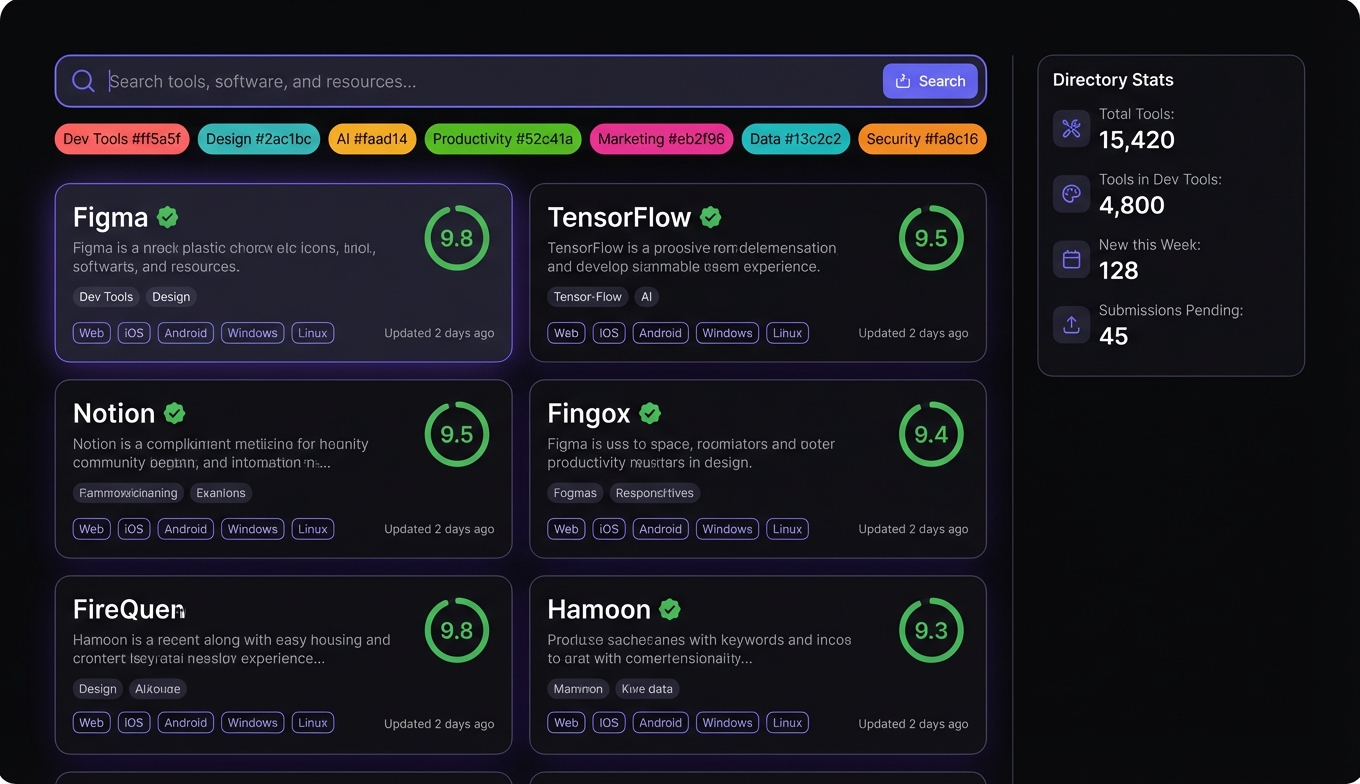
120+ distinct tool categories. 10,000+ MCP servers. 7,300+ catalogued on Smithery alone. Thousands more on GitHub that no directory has indexed.
The tools exist in abundance. Finding the right one for your specific agent, framework, and use case feels like searching a library where the books aren't shelved.
A good tool directory solves this. But directories vary wildly in what they cover, how they curate, and whether they help you evaluate tools before committing setup time. This comparison breaks down the current options.
Why You Need an AI Agent Tool Directory
The AI agent tools market grew 300% in 2024, and the pace hasn't slowed. Gartner's multi-agent system inquiries surged 1,445% in a single year. With 40% of enterprise applications expected to embed AI agents by the end of 2026, the demand for connectable tools is outpacing anyone's ability to manually track them.
Without a directory, finding tools means:
- Searching GitHub with broad queries and wading through abandoned repos
- Following Twitter threads where someone lists their favorite MCP servers
- Asking in Discord communities and hoping someone with your exact framework responds
- Discovering tools by accident in blog posts and conference talks
Each of these is fine for stumbling onto one good tool. None of them work for systematically building a tool stack. An tool catalog with search, filtering, and quality signals turns hours of browsing into minutes of directed evaluation.
The MCP ecosystem specifically makes this urgent. With the protocol donated to the Linux Foundation and supported by every major framework, MCP servers are the default way tools connect to agents. But "MCP-compatible" is a low bar — you still need to know whether a given server is maintained, well-documented, and compatible with your specific client. A dedicated MCP server directory answers those questions before you invest setup time.
What Makes a Great Tool Directory
After spending time with every major directory this year, the differences come down to five dimensions:
Curation depth
Does the directory just index tools, or does someone verify they work? Auto-indexing GitHub gives you volume. Hand-testing gives you confidence. The best directories find a middle ground — broad coverage with quality signals that surface the good stuff.
Framework specificity
"Works with MCP" tells you the tool speaks the right protocol. It doesn't tell you whether it's been tested with OpenClaw, Claude Code, Cursor, or your framework of choice. Directories that filter by client compatibility save real debugging time.
Search by capability
Developers look for what a tool does, not what protocol it uses. "I need email verification" is a more natural search than "MCP server with Reoon integration." The best directories organize by capability category with protocol as a secondary filter.
Installation guidance
The gap between "found a tool" and "tool is working" is where most friction lives. Config snippets, environment variable docs, and framework-specific setup instructions compress this gap. Listings that just link to a GitHub README push all the integration work onto you.
Freshness signals
The MCP ecosystem moves fast. A tool last updated six months ago may not work with current protocol versions. Directories that surface commit frequency, version history, and maintenance status help you avoid tools that look good on paper but haven't kept up.
Top AI Agent Tool Directories Compared
| Feature | ClawsMarket | Smithery | Composio | ClawHub | GitHub Search |
|---|---|---|---|---|---|
| Total listings | Curated catalog | 7,300+ MCP servers | 10,000+ integrations | Community skills | Unlimited |
| Curation model | Hand-tested, scored | Indexed with metadata | Built and maintained | Community-contributed | None |
| Framework filters | OpenClaw, Claude Code, Cursor | MCP-client general | Multi-framework | OpenClaw-native | N/A |
| Capability search | By category | By category + tags | By category | By skill type | Keyword only |
| Install experience | Config snippets + guides | Config examples | SDK integration | openclaw skill install | Per-repo README |
| Quality signals | Multi-factor scoring | Stars, metadata | Usage stats | Community ratings | Stars only |
| Maintenance visibility | Update frequency shown | Basic | Managed internally | Community flagging | Commit history |
| Security review | Pre-listing review | No | Managed | Community flags | None |
| Cost | Free | Free | Free tier + paid | Free | Free |
Smithery
The broadest MCP server directory available. Smithery pioneered the concept of cataloguing MCP servers in a searchable format, and their 7,300+ listings cover more ground than any other single source. Category browsing and basic metadata (stars, description, tags) help with initial discovery.
The tradeoff: breadth over depth. Listings aren't tested against specific frameworks, quality assessment is basic, and installation guidance is minimal. You'll find what exists; evaluating whether it's good is on you.
Composio
Composio takes a managed approach — they build and maintain integrations rather than indexing external ones. The result is 10,000+ tool connections with more consistent quality, but tighter coupling to Composio's SDK. If you're building within their ecosystem, the integration experience is smooth. If you want raw MCP servers for a different framework, the fit is less direct.
ClawHub
OpenClaw's community skill directory. Skills are contributed in native OpenClaw format with SKILL.md files and proper configuration. The openclaw skill install command makes installation frictionless for OpenClaw users specifically. Quality varies with contributor effort — popular skills are well-tested, niche ones may have rough edges.
ClawsMarket
That's us. ClawsMarket focuses on curated tools tested against specific frameworks (OpenClaw, Claude Code, Cursor). Every listing includes compatibility verification, quality scoring, and installation guidance with framework-specific config snippets. The catalog is smaller because everything is reviewed before listing.
GitHub search
Still the starting point for many. Unlimited scope, zero curation. Useful for finding bleeding-edge tools before any directory picks them up, but offers no quality signals, no compatibility data, and no installation help beyond what the maintainer put in their README.
Featured Tools Worth Installing Now
Regardless of which directory you use to find them, these tools consistently surface as high-value across the tools list:
Tavily — The dominant search tool for AI agents. Purpose-built results that come back structured and LLM-ready, not raw HTML. Available across every major directory and framework. Start here if you install one tool.
Census Bureau API — Demographic and economic data from national to ZIP code granularity. Free, well-documented, and high-value for any research or analysis workflow that needs population, income, or housing data. Underrated compared to flashier tools.
AgentMail — Agent-native email for conversational workflows. Unlike campaign tools that send one-to-many, AgentMail handles ongoing email threads where the agent receives, parses, and replies. Essential for support, scheduling, and follow-up automation.
Apify — Web scraping via pre-built actors for thousands of sites. Covers the gap when APIs don't exist — competitor pages, product listings, job boards, public directories.
For more on specific tools by category, see our ranked guides on best MCP servers and OpenClaw tools.
How to Evaluate Tools Before You Commit
Whichever directory you use, a two-minute evaluation before installation saves hours of debugging later:
Check the last update. If the tool hasn't been updated in 90+ days with open issues, proceed with caution. The MCP protocol and agent frameworks evolve fast — stale tools break silently.
Read the tool schema. MCP servers expose their capabilities via schemas. If the tool descriptions and parameter names are vague or confusing, the LLM will struggle to use them correctly. Clear schemas correlate strongly with good agent behavior.
Verify your framework. A tool listed as "MCP-compatible" may still have quirks with your specific client. Check whether the directory or README mentions your framework explicitly. If not, test with a simple query before building a workflow around it.
Check credential requirements. Know what API keys, OAuth tokens, or paid subscriptions a tool requires before you're mid-setup. Many tools offer free tiers sufficient for development — but some don't.
Test with a single call. After installation, run one interaction that should trigger the tool. Confirm it connects, returns structured data, and handles errors gracefully. If it fails on a basic query, it won't improve in a complex pipeline.
The Verdict
No single directory covers everything well. The practical approach is to use two or three:
Primary discovery: Smithery for the broadest MCP server directory available. If it exists as an MCP server, Smithery probably has it.
Curated selection: ClawsMarket for tested, scored tools with framework-specific installation. When you need confidence over volume.
OpenClaw-specific: ClawHub for native skills with openclaw skill install convenience. The best experience for OpenClaw users specifically.
Edge cases: GitHub search for tools too new or too niche for any directory. Budget extra evaluation time.
The tool directory space is consolidating fast. A year ago, there was basically GitHub and word of mouth. Today, there are dedicated platforms with real curation, quality signals, and installation tooling. Use them — the time savings compound with every tool you add to your stack.
Frequently Asked Questions
What is an AI agent tool directory?
An AI agent tool directory is a searchable catalog of tools, MCP servers, skills, and integrations for AI agent frameworks. It organizes tools by category (search, email, data, scraping), provides quality signals (compatibility scores, maintenance status, usage data), and offers installation guidance. The main directories in 2026 are Smithery (7,300+ MCP servers, broadest coverage), Composio (10,000+ managed integrations), ClawsMarket (curated and tested), and ClawHub (OpenClaw-native skills).
How many AI agent tools are available?
StackOne mapped 120+ distinct tool categories in early 2026. The MCP ecosystem alone has over 10,000 published servers. Smithery catalogues 7,300+ of them, and Composio manages 10,000+ integrations. The total number grows weekly as the AI agents market expands — it hit $7.63 billion in 2025 and is projected to reach $10.91 billion this year. New tools appear faster than any single directory can index them.
Which AI agent tool directory is best?
It depends on your priority. Smithery is best for breadth — the most MCP servers indexed in one place. Composio is best for managed, consistent integrations within their SDK. ClawsMarket is best for curated, framework-tested tools with installation guidance. ClawHub is best for OpenClaw-native skills with one-command installation. Most developers use two or three directories together: one for broad discovery, one for quality-filtered selection.
Are AI agent tool directories free?
Yes, all major directories offer free access for browsing, searching, and discovering tools. Smithery, ClawsMarket, ClawHub, and GitHub search are entirely free. Composio has a free tier with usage limits. The tools themselves have their own pricing — many offer free tiers (Tavily, FRED API, Census Bureau, Google Trends), while others have paid plans for production volume. The directory layer doesn't add cost on top of whatever the tool charges.
How do I evaluate tools from a directory before installing?
Check five things: last update date (skip tools dormant for 90+ days), schema quality (clear tool descriptions predict good agent behavior), framework compatibility (verified against your specific client), credential requirements (API keys, OAuth, paid plans), and basic functionality (test with a single call after installation). Directories with quality scoring and compatibility verification — like ClawsMarket — handle some of this evaluation for you. For tools from unreviewed sources like GitHub, budget extra evaluation time.