How to Build AI Agent Workflows That Run in Production
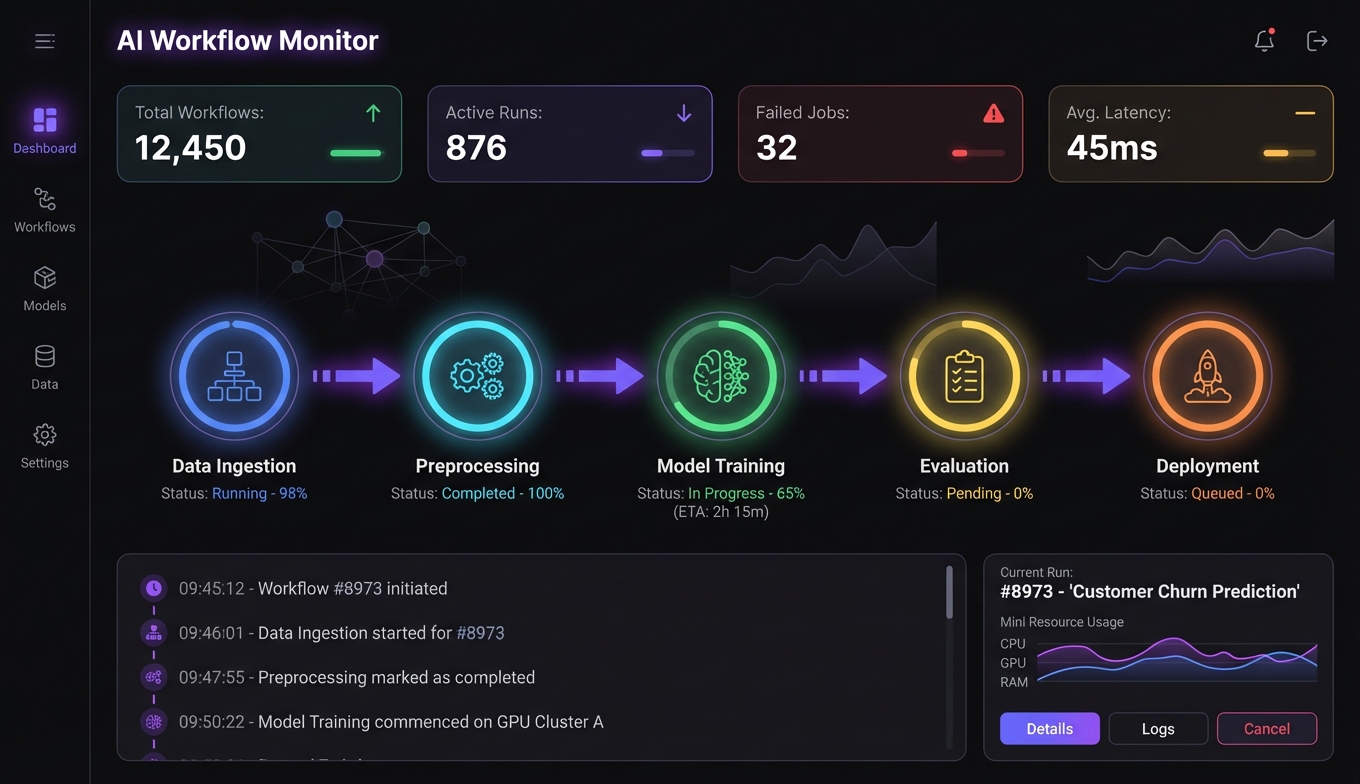
57.3% of organizations now have AI agents in production. Sounds encouraging — until you hear that Gartner predicts over 40% of agent projects will be scrapped by 2027 due to operationalization failures.
The gap between a demo agent and a production agent isn't intelligence — it's engineering. The LLM reasons fine. What kills you is the stuff around it: error handling, state management, tool reliability, and the failure modes nobody mentions in tutorials.
This guide is for the people whose agents work beautifully in development and fall apart when real users touch them. (Read why agents need real software for the philosophy behind this approach.)
Why Most Agent Workflows Fail in Production
After reviewing dozens of post-mortems, the patterns are clear. Production agents don't fail because the model is bad. They fail because the system around the model doesn't account for how LLMs actually behave under pressure.
Hallucinated tool arguments
This is the most common failure mode and the least discussed. Your agent has a tool that takes a customer_id parameter. In testing, it passes valid IDs. In production, it confidently invents an ID that looks plausible but doesn't exist in your database. The tool returns an error, the agent apologizes and tries again — with another invented ID.
The fix isn't prompt engineering. It's schema validation at the tool boundary and span-level tracing so you can see exactly what arguments the agent generated and why.
Recursive loops
Agent calls a status API. Status is "pending." Agent waits and checks again. Still pending. Checks again. Forty-seven times later, you notice your API bill.
This happens more than you'd think, especially in agent workflows that involve polling external services. The fix is a combination of hard iteration caps, trajectory visualization (so you can see the loop forming), and — where possible — webhook-driven architecture instead of polling.
Instruction drift
Here's one that catches experienced developers off guard. In long-running sessions, the system prompt gradually loses influence. The agent starts ignoring constraints that it followed perfectly in the first few turns. This is recency bias — the model pays more attention to recent context than to instructions that are hundreds of tokens away.
The fix: re-inject critical constraints adjacent to each new user input. Don't rely on the system prompt alone for rules that matter.
The error handling disaster
When an API returns a 400, agents guess alternative parameters. When they get a 401, some will ask the user for passwords. A 429 rate limit gets reported as "the service is down." And a 500? The agent might fabricate a successful response rather than admit failure.
Each of these needs explicit handling. If you're not writing error-code-specific retry logic with circuit breakers, your agent is one API hiccup away from producing garbage that looks like a valid result.
Over-engineering
Anthropic and Microsoft both published the same advice independently: start simple. A single agent with well-designed tools will outperform a multi-agent system for most use cases. The overhead of agent-to-agent communication, shared state, and coordination logic is only worth it when the task genuinely requires multiple specialties operating in parallel.
If you're building your first agent pipeline, resist the urge to start with five agents. Start with one.
Five Core Orchestration Patterns
Microsoft's research team published a taxonomy of agent orchestration patterns that's become the standard reference. Understanding these patterns is the difference between designing a workflow and hoping one emerges.
Sequential
The simplest pattern: Agent A finishes, passes output to Agent B, who passes to Agent C. Each step has a clear dependency on the previous one.
A legal document pipeline is the textbook example: Template Selection → Clause Customization → Regulatory Compliance → Risk Assessment. Each stage needs the output of the prior stage. There's no parallelism to exploit, and that's fine.
# Sequential pipeline with explicit handoffs
stages = [
    Agent(role="template_selector", tools=[template_db]),
    Agent(role="clause_customizer", tools=[clause_library]),
    Agent(role="compliance_checker", tools=[regulatory_db]),
    Agent(role="risk_assessor", tools=[risk_model]),
]

result = document_input
for agent in stages:
    result = agent.run(result)
    if result.failed:
        escalate_to_human(agent.role, result.error)
        break
Use sequential when: steps have clear dependencies, order matters, and you need auditability of each stage.
Concurrent (Fan-out / Fan-in)
Multiple agents work on independent subtasks simultaneously, and a coordinator merges the results. This is your latency optimization pattern.
Exa's research system is a good real-world example: a Planner agent breaks a research question into subtasks, parallel Task agents execute them simultaneously, and an Observer agent synthesizes the results. Total time: 15 seconds to 3 minutes, regardless of how many subtasks exist.
This pattern works beautifully for AI research workflows where you need to gather information from multiple sources — search results, databases, APIs — and none of those lookups depend on each other.
Use concurrent when: subtasks are independent, latency matters, and results can be merged deterministically.
Group Chat
Multiple agents discuss and debate in a shared conversation. This sounds chaotic, but it's powerful for consensus-building and maker-checker workflows. One agent drafts, another critiques, a third validates against requirements.
Use group chat when: you need diverse perspectives, quality matters more than speed, or the task requires adversarial validation.
Handoff (Routing)
A router agent examines the input and delegates to the appropriate specialist. Think of it as a switchboard: customer billing questions go to the billing agent, technical issues go to the support agent, sales inquiries go to the sales agent.
This is the most common pattern in customer-facing agent orchestration. It scales well because you can add new specialists without changing the routing logic significantly.
Use handoff when: inputs vary widely in type, different specialties are needed, and you want to keep each agent focused.
Magentic (Adaptive)
The most sophisticated pattern. A manager agent maintains a dynamic task ledger, creating and assigning tasks based on evolving context. No predetermined plan — the workflow emerges from the problem.
Microsoft's SRE system uses this: a Manager agent receives an incident, builds a task ledger, delegates to Diagnostics, Infrastructure, and Rollback agents as needed, with human escalation gates at critical decision points. The workflow is different every time because every incident is different.
Use magentic when: the problem is open-ended, you can't predetermine the workflow, and you need adaptive planning.
Tool Design Is the Real Bottleneck
Here's what most guides won't tell you: the quality of your tools matters more than the quality of your prompts. A well-designed tool with a mediocre prompt will outperform a brilliant prompt with a poorly designed tool every time.
What good tool design looks like
Good agent tools have three properties:
-
Narrow scope — Each tool does one thing.
search_customersandupdate_customerare two tools, not onemanage_customerstool with a mode parameter. -
Self-documenting schemas — The tool description and parameter names should be clear enough that the agent rarely picks the wrong tool. If your agent keeps calling
search_productswhen it should callsearch_inventory, the names are too similar. -
Predictable errors — When a tool fails, it returns a structured error that tells the agent what went wrong and what to try instead. Not a stack trace. Not a generic "something went wrong."
MCP as the integration layer
The Model Context Protocol has become the standard for tool integration, and for good reason. With 1,200+ MCP servers available, you can assemble a tool suite without writing custom integrations for each service.
For email automation workflows, you'd wire up an email MCP server, a contact enrichment server, and a verification server. Each speaks the same protocol. The agent doesn't care about the underlying APIs — it just sees tools with schemas.
This composability is what makes MCP-based agent pipelines practical. You can swap out your search provider or add a new data source without touching the agent logic. For a concrete example, our sales prospecting pipeline guide shows five MCP tools chained into a complete workflow, and the Tavily setup guide covers configuring the most common starting point.
Error Recovery and State Management
The difference between a demo agent and a production agent is what happens when things go wrong. And in production, things go wrong constantly.
Checkpointing
Every agent workflow that runs longer than a single LLM call needs checkpointing. When an agent is five steps into a seven-step process and the sixth step fails, you don't want to restart from scratch.
LangGraph handles this natively — each node in the graph can persist its state, and you can resume from any checkpoint. If you're building on a lighter framework, you need to implement this yourself. A simple approach:
class WorkflowCheckpoint:
    def __init__(self, workflow_id: str):
        self.workflow_id = workflow_id
        self.store = redis.Redis()

    def save(self, step: str, state: dict):
        self.store.hset(
            f"workflow:{self.workflow_id}",
            step,
            json.dumps(state)
        )

    def resume_from(self, step: str) -> dict | None:
        data = self.store.hget(f"workflow:{self.workflow_id}", step)
        return json.loads(data) if data else None
Circuit breakers for external tools
When an external API starts failing, your agent shouldn't keep hammering it. Implement circuit breakers that trip after N consecutive failures and route to a fallback behavior — cache, alternative tool, or graceful degradation.
This is especially important for production agents that depend on third-party services. A single flaky API can cascade into a complete workflow failure if you don't contain it.
Human escalation gates
Not everything should be automated. The Microsoft SRE system gets this right: certain decisions (like rolling back a production deployment) require human approval regardless of how confident the agent is.
Design your escalation gates before you need them, not after an agent makes an expensive mistake. The 24.9% of organizations citing security as their top blocker are right to be cautious — but the answer is controlled delegation, not avoiding agents entirely.
The 2026 Production Agent Stack
Based on what's actually working in production (not what's trending on Twitter), here's the stack that 57.3% of organizations with production agents have converged on.
Orchestration layer
LangGraph for complex stateful workflows. CrewAI for multi-agent orchestration. The OpenAI Agents SDK or Google ADK if you're committed to a specific vendor ecosystem. Most teams running production agents use one of these four.
Observability
94% of production agent deployments have tracing. This isn't optional. LangSmith, Arize, and Helicone are the leading platforms. You need to see every LLM call, every tool invocation, every decision point. When something goes wrong at 3 AM, traces are how you figure out why.
Tool integration
MCP is the de facto standard. Over 75% of teams deploy multiple models, and MCP gives you a consistent tool interface across all of them. Browse available workflows to see how teams are composing MCP tools into production pipelines.
Memory and context
Vector stores (Pinecone, Weaviate) for long-term memory. Zep for conversation memory management. The key insight: context window management is an engineering problem, not a model capability problem. Aggressive scoping and compaction beat a bigger context window.
Testing
This is where most teams are weakest. Promptfoo for automated eval suites. LLM-as-Judge for subjective quality assessment. The teams that ship reliable agents test them like software, not like prompts.
Frequently Asked Questions
What percentage of companies have AI agents in production?
According to LangChain's 2026 industry survey, 57.3% of organizations have AI agents running in production. The number skews higher for large enterprises — 67% of companies with 10,000+ employees have deployed production agents. The main blockers for the remaining organizations are accuracy and hallucination concerns (32%), security (24.9%), and latency (20%).
What's the best orchestration pattern for AI agent workflows?
It depends on the task. Sequential pipelines work for step-by-step processes with clear dependencies. Concurrent fan-out/fan-in is best for latency-sensitive tasks with independent subtasks. Handoff routing works well for customer-facing systems that need specialist delegation. Start with the simplest pattern that fits your use case — most teams over-engineer their first agent workflow by choosing a complex pattern when sequential would suffice.
How do you prevent AI agents from hallucinating in production?
Three layers: schema validation at tool boundaries (catch invented parameters before they hit your APIs), span-level tracing (see exactly what the agent generated and why), and re-injection of constraints near each new input to prevent instruction drift. No single technique eliminates hallucinations, but these three together reduce them to a manageable rate. Testing with adversarial inputs before deployment catches the most common failure modes.
What tools do you need for a production AI agent stack?
The 2026 production stack typically includes an orchestration framework (LangGraph or CrewAI), an observability platform (LangSmith, Arize, or Helicone — 94% of production deployments use tracing), MCP-compatible tool servers for capabilities like search, email, and data access, a vector store for memory (Pinecone or Weaviate), and an eval framework for testing (Promptfoo). Over 75% of production teams deploy multiple LLM models and route between them based on task complexity.
Why do AI agent projects fail?
Gartner predicts over 40% of agent projects will be scrapped by 2027, primarily due to operationalization failures — not model limitations. The most common causes are: unhandled error states from external APIs, recursive loops in polling-based workflows, context window overload in long-running sessions, and over-engineering with multi-agent systems when a single agent with good tools would suffice. Starting simple, investing in observability, and implementing proper error recovery are the highest-leverage fixes.