Why AI Agents Need Real Software, Not Prompt Templates
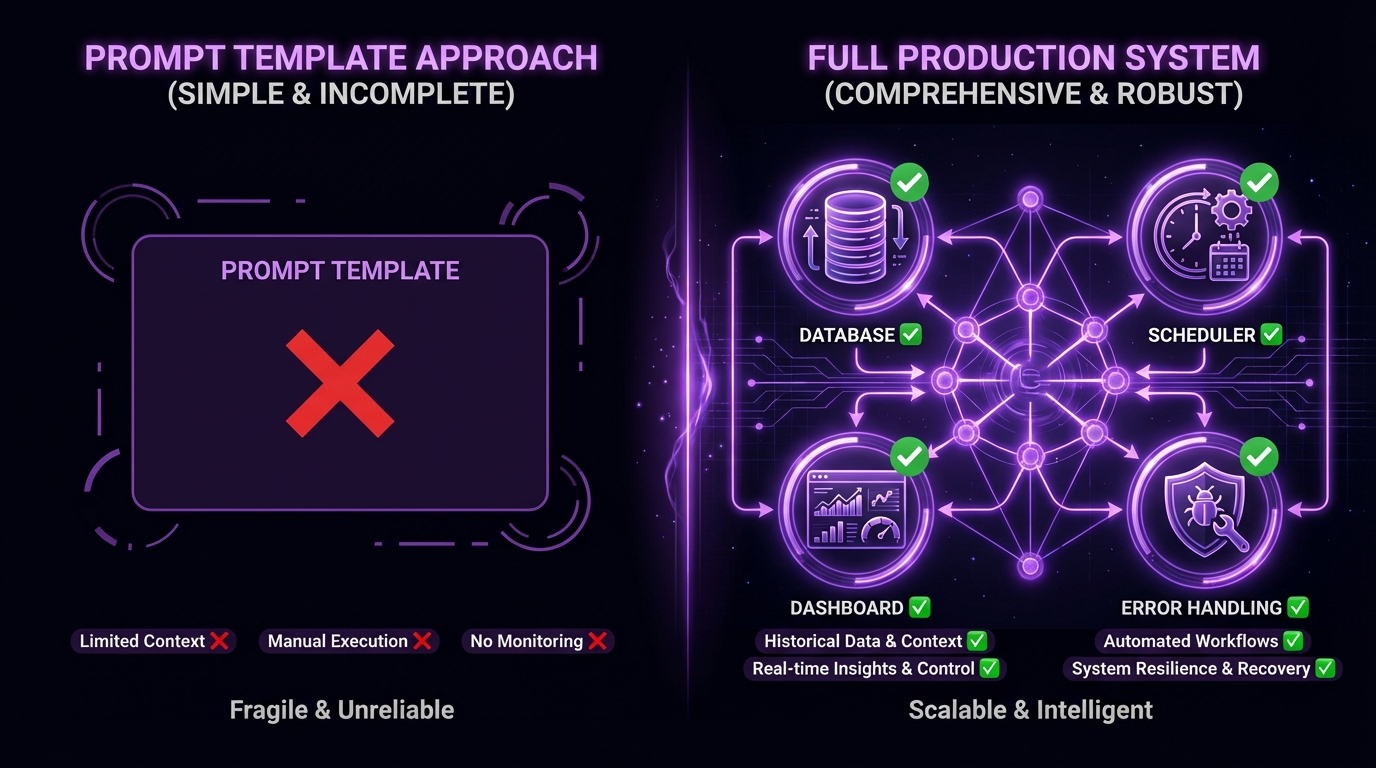
Most AI agent tools ship as prompt templates. A system message, a few example calls, maybe a wrapper around an API. It works in demos. It falls apart the moment you need to run it every day on real data.
The prompt template trap
A prompt template gives you one turn of reasoning. It doesn't give you:
- A database to track what happened yesterday
- A dashboard to see what's working and what isn't
- Retry logic when APIs fail at 3 AM
- Scheduling that runs without you watching
- Audit trails for when things go wrong
These aren't nice-to-haves. They're the difference between a toy and a tool.
What production agents actually need
We've been running agent workflows in production for months — sales pipelines that book meetings, market scanners that make predictions, venture tools that source deals. Every one of them needed the same things:
Persistent state. The agent needs to remember what it did last run. A database isn't optional — it's the foundation. Without it, your agent rediscovers the same leads, re-analyzes the same markets, and re-sends the same emails.
Observability. When your agent runs at midnight, you need to see what happened in the morning. Dashboards, logs, email summaries — you need to know what decisions were made and why.
Error recovery. APIs rate-limit. Services go down. Models hallucinate. Production workflows need graceful degradation, not a stack trace in your terminal.
Scheduling. A workflow that only runs when you type a command isn't a workflow. It's a script. Real automation runs on timers, triggers, and events.
The framework compatibility problem
The other issue nobody talks about: skills built for Claude Code don't work with OpenAI Agents. A LangGraph tool doesn't plug into CrewAI. Every framework is its own island.
This means operators waste hours rebuilding the same capability for each framework. A web search skill, a file parser, a data enrichment step — rebuilt from scratch every time you switch or add a framework.
The solution is a universal skill format that works across frameworks. That's what we're building toward with the .skill specification — a single definition that compiles to any target runtime.
What real agent software looks like
Here's a concrete example. A market research agent that runs daily needs:
| Layer | Prompt Template | Production Agent |
|---|---|---|
| Data | None — starts fresh each run | SQLite/Postgres tracking every prior result |
| Scheduling | You type a command | systemd timer or cron, runs at 2 AM |
| Error handling | Crashes on failure | Retry with backoff, circuit breakers, fallback models |
| Monitoring | Check terminal output | Dashboard, email digest, structured logs |
| Cost tracking | None | Token usage per run, per-model breakdowns |
The prompt is identical in both versions. Everything else — the stuff that makes it work — is software engineering, not prompt engineering.
Start with the workflow, not the prompt
If you're building an agent system, start from the other end. Don't ask "what should the prompt say?" Ask:
- What data does this need to persist?
- What does the operator need to see?
- What happens when it fails?
- How often does it run?
- What external systems does it touch?
Answer those questions first, build the infrastructure, and then write the prompts. The prompts are the easy part. The plumbing is what makes it work.
For the practical engineering side, our guide on building agent workflows for production covers orchestration patterns, error recovery, and the stack that works. And if you're deciding how to connect your tools, MCP vs function calling breaks down the architectural tradeoffs.
ClawsMarket curates workflows with real databases, dashboards, and pipelines — not prompt templates. Browse workflows →
Frequently Asked Questions
Why do AI agents need more than prompt templates?
Prompt templates give you one turn of reasoning with no memory, no error handling, and no scheduling. Production agents need persistent state (databases to track prior runs), observability (dashboards and logs), error recovery (retry logic, circuit breakers), and automated scheduling. These are software engineering concerns that prompts alone can't solve.
What's the difference between a demo agent and a production agent?
A demo agent runs when you trigger it, processes a single request, and shows results in a terminal. A production agent runs on a schedule, persists results to a database, handles API failures gracefully, sends summaries to stakeholders, and recovers from errors without human intervention. The LLM and prompt may be identical — the difference is the infrastructure around them.
How should I architect a production AI agent?
Start with five questions: what data persists between runs, what the operator needs to see, what happens on failure, how often it runs, and what external systems it touches. Build the database, scheduler, error handling, and monitoring first. Add the LLM and prompts last. This workflow-first approach prevents the common failure mode of building a clever prompt that can't survive real-world conditions.